 Integration Services
 Business Consulting & Advisory
 AI Solutions
 AppExchange Development
 Tailored Salesforce Engineering
 Managed Services
 Implementation

Customer data is central to contemporary business strategies. The ability to transform data into useful insights is not only a top priority for C-suite executives, but it is also necessary for them to remain competitive. Salesforce has become a vital tool for businesses looking to use analytics, integrate customer data, and improve operational efficiency.

However, there’s a caveat: merely implementing Salesforce won’t suffice. To maximize its potential, businesses require an intelligent strategy that combines real-time data analytics, ensures smooth operations, and aligns with company objectives. This blog explores practical steps and strategies to improve your Salesforce implementation for better performance.
Table of Content
- The Significance of Real-Time Data Analytics
- Key Strategies for Optimizing Salesforce Implementation with Customer Data Analytics
- Top Features of Salesforce CRM Analytics
- The Benefits of CRM Analytics
- Implementation Use Cases in Action
- Overcoming Data-Related Challenges in Salesforce Implementation
- Summing Up
The Significance of Real-Time Data Analytics
Real-time analytics is changing how businesses operate; it’s not just a tech fad. Imagine being able to instantly access market trends, client preferences, and operational analytics in one place. Real-time data analytics allows companies to:
- Understand customer behaviors in real time
- Adapt strategies proactively, avoiding costly delays
- Streamline operations with accurate, actionable insights
By embedding real-time analytics into Salesforce implementation, businesses unlock capabilities that make decision-making faster and more precise.
Key Strategies for Optimizing Salesforce Implementation with Customer Data Analytics
1. Tailor Configurations to Your Goals
Customization is your best friend. Start by aligning Salesforce’s workflows, dashboards, and features with your specific business objectives. For instance:
- Medical device manufacturers can significantly improve lead generation and conversion rates by leveraging custom configurations and upgrades of Pardot.
- Retail brands often set up dashboards that focus on customer retention metrics, making loyalty programs more effective.
2. Integrate Diverse Data Sources Seamlessly
One major hurdle businesses face is siloed data. Tools like Salesforce Data 360 help unify disparate sources from CRM systems to marketing platforms into one cohesive structure. This gives decision-makers a clearer picture, enabling smarter strategies.
3. Activate Insights with AI-Powered Analytics
Salesforce’s Einstein AI takes the guesswork out of analytics. Businesses can predict trends, personalize customer experiences, and automate repetitive tasks with ease. For example:
- AI-driven lead scoring highlights prospects that are more likely to convert.
- Predictive insights help businesses anticipate customer needs.
Take your Salesforce to the next level with optimized processes and real-time analytics!
4. Prioritize Training and Continuous Improvement
Even the best system fails without proper user adoption. Regular training ensures teams understand how to use Salesforce effectively, while performance reviews highlight areas for improvement. Build a culture of learning to maximize your investment.
5. Incorporate Change Management
Change management is frequently neglected but is critical to the success of Salesforce initiatives. Involve stakeholders early and often to communicate benefits and handle concerns. Assign change champions within departments to drive adoption and provide feedback loops for continuous improvement.
6. Leverage Agile Methodologies
An agile approach to Salesforce implementation allows teams to adapt to evolving requirements. Iterative rollouts help organizations identify issues early and refine processes based on real-time feedback. For example, implementing CRM functionalities for one department before scaling across the organization ensures smoother adoption.
Ready for a smarter Salesforce? Book your free strategy session before you go.
Top Features of Salesforce CRM Analytics
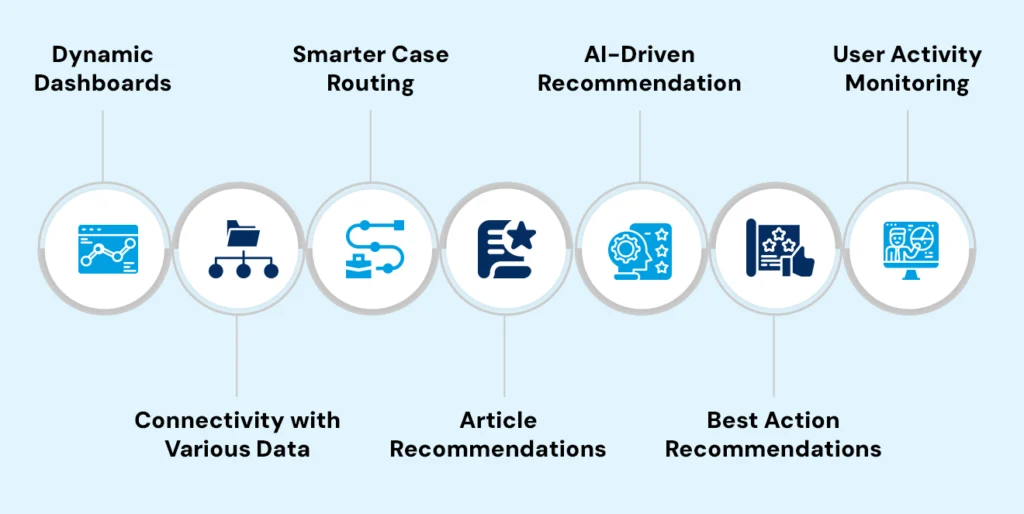
I. Dynamic Dashboards
CRM Analytics offers built-in dynamic dashboards that include sample datasets, dashboards, and apps for immediate exploration. Users can visualize and analyze data interactively, uncovering valuable insights quickly.
II. Connectivity with Various Data Sources
The platform provides built-in connectivity to multiple data sources such as Google BigQuery, SAP, and AWS. This integration allows businesses to consolidate non-Salesforce data within CRM Analytics, creating a unified customer view.
III. Smarter Case Routing
CRM Analytics enhances service and support through AI-powered automation, enabling smarter and faster case routing. It automatically assigns cases to agents based on their skills, availability, and past success rates, ensuring optimal case-agent matching and improved customer satisfaction.
IV. Article Recommendations
The platform identifies the best-matched information for customer service queries by quickly searching for knowledge articles. This feature helps agents and customers find the right solutions without sifting through numerous articles.
V. AI-Driven Recommendations
With Einstein Discovery integrated, CRM Analytics generates predictive insights and data-driven recommendations. Users can uncover new opportunities through automated discovery and analysis.
VI. Best Action Recommendations
CRM Analytics recognizes the ideal next-best action during service calls and sales discussions. For example, it may suggest relevant cross-sells or upsells while resolving a support case, maximizing each customer engagement moment.
VII. User Activity Monitoring
Admins can monitor user activity with granular tracking, gaining an overview of behaviors across Salesforce. This feature helps identify shifting patterns, safeguard information, and ensure data access is secure in real time.
Dealing with data silos and integration challenges? Let our tailored solutions simplify the way forward.
The Benefits of CRM Analytics
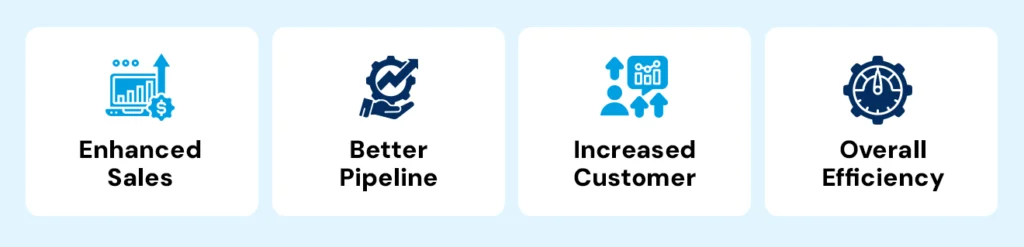
A. Enhanced Sales Performance
CRM Analytics boosts sales performance by providing leaderboard dashboards to compare team and rep performance against goals. It allows businesses to assess deals by stage, win/loss rates, and ongoing trends in real time, build sales pipelines, identify opportunities, and receive notifications on changes.
B. Better Pipeline Management
The platform helps adjust opportunity pipelines based on closings and timescales. It enables businesses to anticipate which products to offer specific accounts and forecast sales and revenue accurately.
C. Increased Customer Intelligence
CRM Analytics targets high-potential deals with whitespace analytics, personalizes marketing and service based on purchase patterns, and resolves cases faster with article suggestions.
D. Overall Efficiency
The platform reduces manual data tasks through better BI integrations, standardizes insights and goals company-wide, and continually enhances strategies with predictive analytics.
In short, Salesforce CRM Analytics is a versatile platform that generates a wealth of actionable and AI-driven insights from customer data. This intelligence ultimately leads to increased sales, higher customer satisfaction, informed decision-making, and sustained competitive advantages.
A CIO’s Guide to Salesforce AI: Architecture, Governance, and Implementation Readiness
Implementation Use Cases in Action
1. Improving Customer Engagement Through Marketing
Integrating data from various functions, line-of-business, geographies, and channels provides a unified view of customers, enabling personalized and effective marketing campaigns. This leads to higher engagement among customers.
2. Improving Financial Services’ Operational Efficiency
Automating workflows in the financial services industry speeds up procedures and eliminates bottlenecks, improving customer and employee satisfaction.
3. Using Internal Communications to Increase Employee Productivity
Employees can concentrate on higher-value tasks by saving time by centralizing internal communications and task assignments.
4. Simplifying Operations in the Supply Chain
Improving delivery schedules and lowering inventory holding costs are two benefits of managing supply chain visibility by combining data from suppliers, warehouses, and transportation partners.
5. Scaling Customer Support for Global Teams
Using AI-driven analytics to prioritize critical tickets and automated workflows improves response times and ensures consistent service levels for customers across multiple time zones. These use cases demonstrate how Salesforce is transforming operations in various functions, proving that the right implementation can deliver meaningful results.
Salesforce AI Implementation Framework: Navigating the New Stack of LLMs, Data Graphs, and Automations
Overcoming Data-Related Challenges in Salesforce Implementation
Implementing Salesforce isn’t without its challenges. Here’s how to tackle them head-on:
- Breaking Down Data Silos: Invest in tools like Salesforce Data Cloud to unify data across departments.
- Fostering Adoption: Run regular workshops to familiarize teams with Salesforce’s features and benefits.
- Maintaining Data Quality: Set up strong governance practices to ensure data is clean, consistent, and reliable. Perform a data health check before starting the implementation process.
- Addressing Integration Complexities: Partner with experienced Salesforce implementation partners who understand your unique requirements. Consider using middleware solutions or API connectors that bridge compatibility gaps when working with a reliable salesforce implementation services provider.
- Tackling Resistance to Change: Develop user-friendly interfaces tailored to end-user needs. Highlight “quick wins” during the implementation phase to demonstrate value. Provide rewards to promote adoption.
- Constant Optimization for Lasting Gains: Salesforce is not a technology that can be set up and left unmonitored. To ensure it continues providing value:
- Evaluate workflows and adjust them to meet evolving business needs.
- Find obstacles and swiftly put fixes in place, using CRM data analytics.
- Increase automation and gain deeper insights, use AI-powered solutions.
Summing Up
Improving business performance requires optimizing Salesforce installation with real-time customer data analytics. Businesses may increase operational efficiency, make better decisions, and obtain deeper insights by utilizing solutions like CRM Analytics. By executing the tactics and conquering the obstacles covered in this blog, businesses may fully utilize Salesforce’s potential, ensuring sustained growth and a competitive advantage in the marketplace. To increase automation and gain deeper insights, use AI-powered solutions. Teaming up with a salesforce implementation consultant can also provide tailored strategies to maximize the benefits of your Salesforce setup.